
October 21st, 2026
Restaurant profit margins can be squeezed by rising ingredient costs, food waste, inaccurate stock counts, and purchasing decisions based on guesswork. Even a busy restaurant can lose profitability when ingredients expire before they are used, portions are inconsistent, or managers cannot see how changing supplier prices affect menu costs.
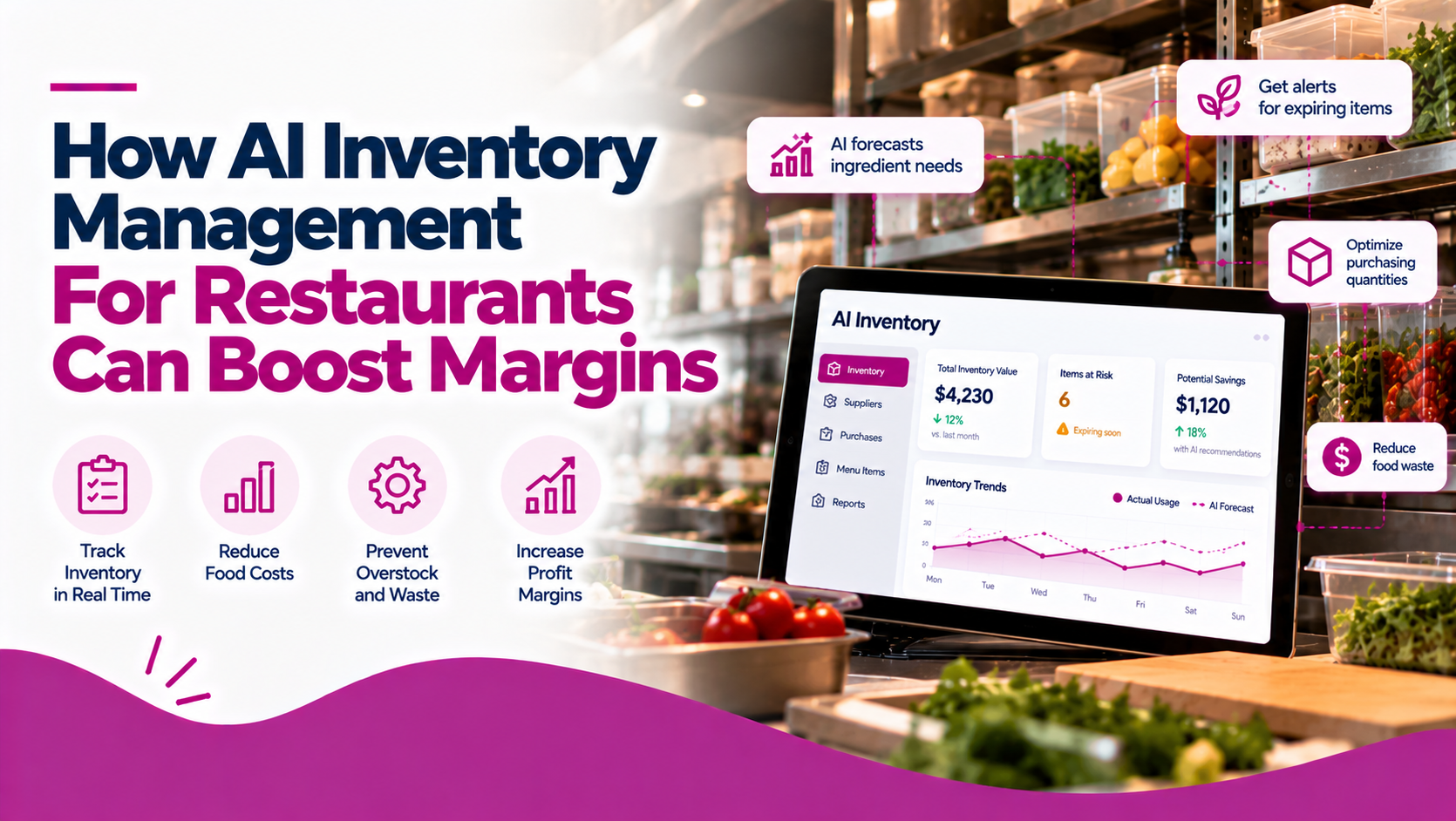
AI inventory management for restaurants helps operators make better purchasing, preparation, and costing decisions using sales data, inventory records, and demand forecasts. Instead of relying entirely on manual counts and spreadsheets, restaurant teams can use connected inventory tools to anticipate demand, track ingredient usage, identify cost increases, and respond to potential stock problems.
This guide explains how AI inventory management works, which features restaurants should prioritize, and how to compare solutions for improving profitability.
AI supports smarter purchasing: Demand forecasting can help restaurants estimate ingredient requirements using historical sales, seasonality, weather, and other available data.
Accurate costing protects margins: Recipe costing and supplier price tracking help operators understand how ingredient prices affect menu profitability.
POS-linked inventory reduces manual work: Connecting sales to recipes provides a theoretical estimate of ingredient consumption.
Inventory alerts help prevent stock problems: Low-stock notifications and predictive alerts can help teams prepare for shortages or demand spikes.
Reporting helps uncover discrepancies: Comparing expected ingredient usage with physical counts can reveal potential waste, portioning issues, and receiving errors.
Snappy Inventory offers inventory tracking, POS-driven theoretical usage, recipe costing, purchasing and receiving, mobile counts, and supplier price comparisons.
AI inventory management for restaurants combines inventory tracking, sales analysis, predictive forecasting, and automation to help restaurant operators manage ingredients and supplies more effectively.
Traditional inventory software records stock levels, purchases, deliveries, and consumption. More advanced platforms connect this information with point-of-sale (POS) transactions, recipes, and supplier costs. AI-enabled tools can use the available data to identify trends, forecast demand, flag potential shortages, and surface insights that support purchasing decisions.
For example, a restaurant may sell more salads during warmer weather or experience predictable increases in demand on weekends. An AI-enabled forecasting tool can analyze historical sales and relevant factors to estimate future ingredient needs. Managers can use those projections to adjust orders and preparation quantities before a busy service.
AI inventory management does not eliminate the need for accurate stock counts, reliable recipes, or good kitchen procedures. Forecasts are only as useful as the data behind them, and staff still need to record deliveries, investigate discrepancies, and verify unusual recommendations.
The goal is to make inventory decisions more consistent, data-informed, and efficient—not to remove human judgment from restaurant operations.
Inventory affects food cost, cash flow, menu availability, labour efficiency, and customer satisfaction. Poor inventory practices can create unnecessary expenses even when sales are strong.
1. Reduce Food Waste and Over-Purchasing
Restaurants handle perishable ingredients with limited shelf lives. When purchasing decisions are based on rough estimates rather than expected demand, ingredients can expire or deteriorate before they are used.
Demand forecasting helps managers estimate what they are likely to sell. When combined with accurate inventory records, it can help teams order more appropriate quantities, prepare food in smaller batches when needed, and avoid carrying excess stock.
2. Improve Food-Cost Visibility
Food cost is influenced by ingredient prices, recipe quantities, portion sizes, and waste. If operators rely on outdated purchase prices or calculate recipe costs manually, they may not recognize margin pressure until it becomes significant.
Inventory software that connects supplier purchase prices to recipes can show how ingredient cost changes affect individual dishes. This information helps managers review menu prices, portion standards, and ingredient choices.
3. Identify Inventory Discrepancies
The amount of stock a restaurant should have based on recorded sales and recipes may not match its actual stock count.
Possible causes include spoilage, over-portioning, unrecorded staff meals, receiving mistakes, inaccurate recipes, and theft. Comparing theoretical ingredient usage with physical counts helps operators identify where further investigation may be worthwhile.
4. Protect Cash Flow
Excess inventory ties up cash that could otherwise support payroll, maintenance, marketing, or other operating expenses. Under-ordering can also be expensive if it causes emergency purchases, lost sales, or menu items becoming unavailable.
Better stock visibility and forecasting help operators make purchasing decisions that balance availability with the cost of carrying inventory.
5. Improve Consistency Across Locations
Multi-location restaurant groups need reliable information about stock levels, ingredient costs, purchasing, and usage at each site.
Connected reporting and inventory transfers can help managers compare locations, identify unusual differences, and establish more consistent procedures. These capabilities become particularly valuable as a restaurant group expands.
Not every platform marketed as AI-powered provides the same capabilities. Evaluate how each feature supports your restaurant’s daily operations and margin goals.
| Feature | Why It Matters |
|---|---|
| Demand Forecasting | Estimates future ingredient needs using sales patterns, seasonality, and other available data. |
| POS Integration | Connects transactions to theoretical ingredient usage and reduces duplicate data entry. |
| Recipe Costing | Calculates ingredient and plate costs to improve menu profitability visibility. |
| Inventory Tracking | Records stock levels, counts, movements, and consumption. |
| Low-Stock Alerts | Flags potential shortages before they disrupt service. |
| Purchasing and Receiving | Helps staff record orders, deliveries, and supplier costs accurately. |
| Supplier Price Comparison | Makes price changes and alternative purchasing options easier to evaluate. |
| Consumption and Variance Reporting | Helps investigate discrepancies between expected usage and actual stock counts. |
| Mobile Inventory Counts | Enables staff to count stock and record inventory tasks on mobile devices. |
| Multi-Location Management | Helps restaurant groups track stock movements and compare operations across locations. |
Restaurants can approach inventory improvement in several ways. The best fit depends on the size of the operation, its existing technology, and how much automation it needs.
Snappy Inventory is an option for restaurants that want inventory tracking, purchasing, recipe costing, and stock counts connected to restaurant sales workflows.
Capabilities include:
Snappy Intelligence adds an AI layer across restaurant operations, including inventory forecasting and waste-control capabilities. Snappy describes forecasts that consider weather, seasonality, and sales history, as well as predictive alerts for demand spikes, low-stock notifications, and automated reminders or restocking workflows.
Together, these capabilities may suit restaurants that want to connect ingredient costs and stock control with broader operational insights. The exact features available will depend on product configuration, plan, integrations, and the restaurant’s setup. Restaurants should confirm those details during evaluation.
Dedicated inventory systems may be suitable for restaurants that already have an established POS and need specialized purchasing, stock counts, recipe costing, waste reporting, or supplier management.
Before choosing one, confirm that it connects to your current POS and can map menu items and modifiers to the correct ingredients. If sales, purchases, and inventory live in disconnected systems, the team may still spend considerable time reconciling records manually.
Some restaurant POS systems include basic inventory tools or offer more advanced capabilities through add-ons.
This approach can be practical when the restaurant wants fewer vendors and simpler workflows. However, POS inventory features vary significantly. Basic product tracking may not provide ingredient-level usage, detailed recipe costing, supplier comparisons, or predictive forecasting.
Check that the tools support your requirements before assuming they can replace a dedicated inventory solution.
Spreadsheets and physical counts can work for very small operations with relatively simple menus and low transaction volumes.
The limitations become more noticeable as ingredient lists grow or multiple locations are added. Manual systems can require repeated data entry, make it harder to keep costs current, and provide limited support for predictive alerts or automated sales-based usage calculations.
Restaurants outgrowing spreadsheets should compare the labour involved in manual processes with the cost and implementation effort of dedicated software.
| Solution Type | Main Strength | Potential Limitation | Best Fit |
|---|---|---|---|
| AI-Enabled Restaurant Platform Such as Snappy with relevant modules |
Can connect forecasting, inventory, POS-driven usage, costing, and operational insights. | Capabilities and automation depend on configuration and selected modules. | Restaurants seeking connected inventory and operational workflows. |
| Dedicated Restaurant Inventory Software | Specialized tools for counts, recipes, purchasing, and stock reporting. | May require integration with separate POS and operations systems. | Restaurants needing deeper inventory controls. |
| POS With Inventory Add-Ons | Sales and selected inventory functions may be managed within the same ecosystem. | Ingredient-level costing and AI forecasting may be limited or require additional products. | Restaurants prioritizing straightforward POS-connected workflows. |
| Spreadsheets and Manual Processes | Low software cost and flexible setup. | More manual work, limited automation, and greater risk of inconsistent records. | Small operations with simple inventory requirements. |
Adopting software is only part of the process. Restaurants need reliable operating procedures to turn inventory information into margin improvements.
Step 1: Establish Your Current Baseline
Before introducing new tools, measure the areas you want to improve. Review current food cost, purchasing patterns, spoilage, stock discrepancies, and the time staff spend counting and reconciling inventory.
A clear baseline makes it easier to determine whether the new process is producing measurable results.
Step 2: Clean Up Product and Recipe Data
Create an accurate product catalogue and confirm that units of measure, purchasing packs, ingredient quantities, and menu recipes are correct.
For POS-connected inventory, map menu items, modifiers, and sizes to the appropriate ingredients. Small configuration errors can create misleading usage estimates and undermine forecasting accuracy.
Step 3: Record Purchases and Receiving Consistently
Enter supplier purchases and verify deliveries promptly. Record substitutions, partial shipments, and relevant price changes so the inventory system reflects what the restaurant actually received.
Accurate purchase records help improve both stock visibility and recipe costing.
Step 4: Use Forecasts to Inform Ordering and Preparation
Start with forecasts for high-volume or highly perishable ingredients. Compare projected demand with current stock and incoming deliveries, then adjust orders and preparation plans where appropriate.
Treat forecasts as decision support. Managers should account for local events, promotions, supplier constraints, and other factors that might not be fully captured by the model.
Step 5: Investigate Variances Regularly
Establish a consistent count schedule for important ingredients and categories. When actual stock differs significantly from expected usage, investigate the cause rather than simply adjusting the numbers.
Corrective actions might include revising recipe quantities, improving receiving procedures, changing storage practices, or reinforcing portion standards.
Step 6: Review Costs and Results With the Team
Share relevant reports with managers, chefs, and purchasing staff. Use the information to update orders, review supplier choices, refine preparation quantities, and identify recipes that deserve closer attention.
Regular reviews help ensure that inventory insights translate into real changes in daily operations.
Restaurants should track a small number of clear metrics before and after implementation. The right measures depend on the operation, but these are useful starting points.
| Metric | What to Monitor | Why It Matters |
|---|---|---|
| Food Cost Percentage | Food cost relative to food sales. | Shows how ingredient expenses compare with revenue. |
| Waste Cost | Value of discarded or spoiled food. | Helps quantify avoidable ingredient losses. |
| Inventory Variance | Difference between expected and counted stock. | Highlights potential process, recording, or portioning issues. |
| Stockout Frequency | How often key ingredients are unavailable. | Helps assess whether purchasing and forecasting support menu availability. |
| Inventory Turnover | How quickly stock is used and replenished. | Helps evaluate whether purchasing levels are appropriate. |
| Recipe Cost Changes | How ingredient price changes affect menu items. | Supports pricing and menu decisions. |
| Time Spent on Inventory | Staff hours spent counting and reconciling stock. | Helps assess administrative efficiency. |
The right inventory platform should solve real operational problems without creating unnecessary complexity.
Start by deciding whether the main priority is reducing food waste, improving recipe costing, automating purchasing workflows, forecasting demand, tracking multiple locations, or bringing disconnected data together.
Then evaluate vendors against five questions:
For multi-location businesses, also examine location-level reporting, stock transfers, user permissions, and consistency across menus and recipes.
AI inventory management combines inventory records, sales data, forecasting, and automation to help restaurants estimate demand, monitor stock, control ingredient costs, and identify potential inventory issues.
It can help reduce over-purchasing, improve demand planning, flag inventory shortages, identify discrepancies, and provide more current recipe-cost information. The actual margin impact depends on data accuracy and how consistently the restaurant acts on these insights.
It can be worthwhile when food waste, manual counts, recipe costing, or purchasing decisions create meaningful operational problems. Smaller restaurants should compare the time and cost of their current process with the software’s subscription, setup, and training requirements.