
September 23rd, 2026
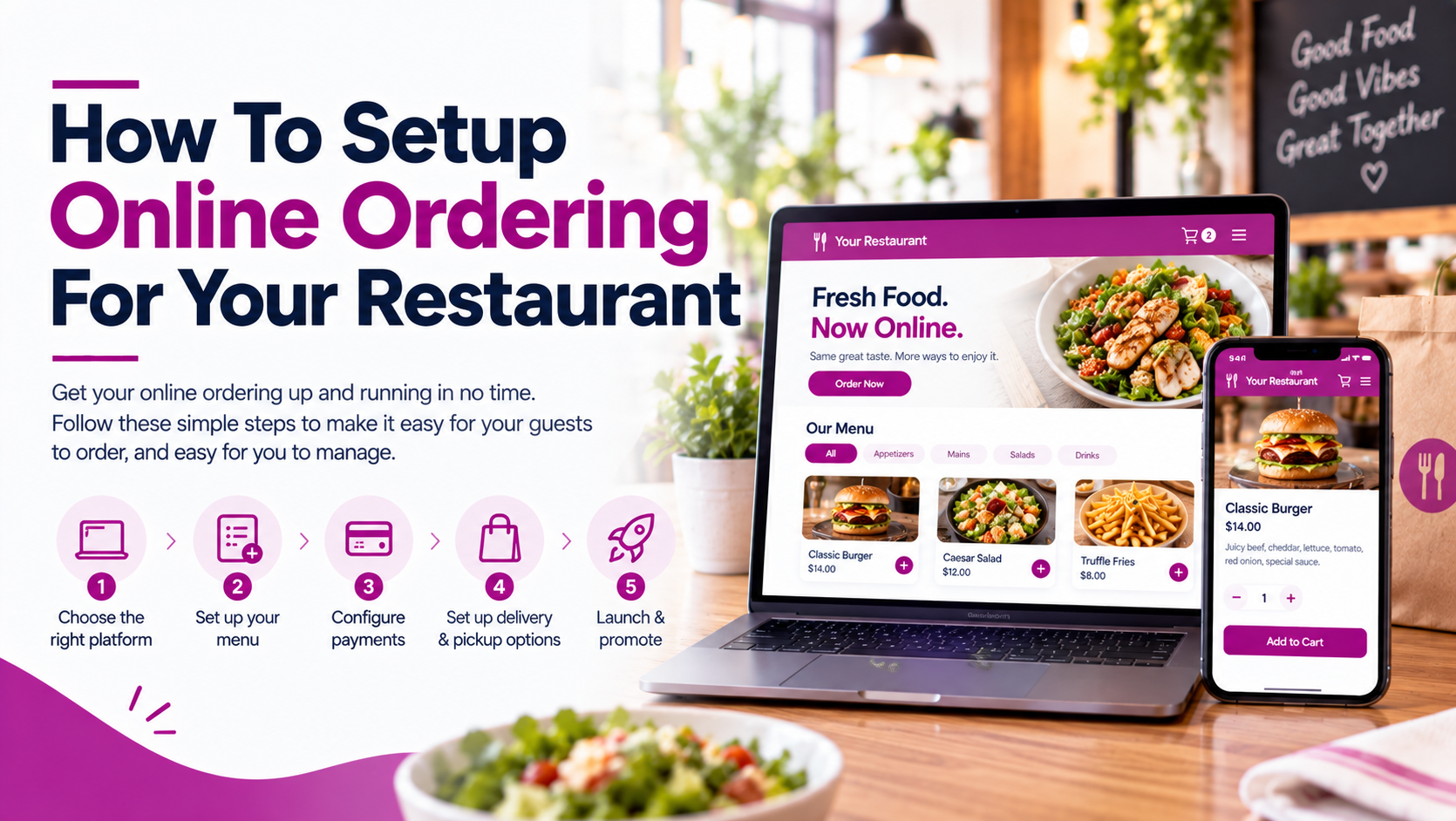
Online ordering can give restaurants another way to generate sales, simplify pickup and delivery, and make it easier for customers to order outside regular dine-in interactions.
The setup itself doesn’t have to be complicated. The key is choosing an ordering system that fits your menu, payment process, delivery model, and existing restaurant technology.
In this guide, we’ll walk through how to set up online ordering for your restaurant, the different ways customers can place orders, and what to look for in an online ordering provider.
Before choosing a provider, determine what you actually need your online ordering system to handle.
At a minimum, you’ll need:
If you’re already using a restaurant POS, it’s worth checking whether the online ordering provider integrates directly with it. Integrated systems can reduce manual entry and keep menus and orders synchronized.
There are several ways restaurants can accept online orders.
Direct Online Ordering
Customers order directly through your restaurant’s website or ordering page.
This gives you more control over the ordering experience and can help you build a direct customer relationship.
Google Ordering
Customers can discover your restaurant through Google Search or Google Maps and access your ordering option directly.
For example, Snappy supports ordering through Google Search and Maps, including pickup and delivery.
Third-Party Delivery Platforms
Restaurants can also list their menus on delivery marketplaces. These platforms can provide additional customer reach while handling parts of the delivery experience.
However, restaurants should consider commission costs, customer ownership, integrations, and how orders are routed into the restaurant.
Restaurant Apps
Some restaurants use branded apps for customers who order frequently. Apps can also connect online ordering with loyalty, promotions, and customer accounts.
Your online ordering provider will determine how orders are received, processed, paid for, and fulfilled.
Some providers focus primarily on direct online ordering, while others combine online ordering with POS, delivery, loyalty, reservations, and other restaurant systems.
| Provider | Direct Ordering | Delivery | POS Integration | Google Ordering | Multi-Location |
|---|---|---|---|---|---|
| Snappy Online Ordering | ✓✓✓ | ✓✓✓ | ✓✓✓ | ✓✓✓ | ✓✓✓ |
| Toast Online Ordering | ✓✓✓ | ✓✓✓ | ✓✓✓ | ✓✓✓ | ✓✓✓ |
| Square Online | ✓✓✓ | ✓✓ | ✓✓✓ | ✓✓ | ✓✓ |
| TouchBistro Online Ordering | ✓✓✓ | ✓✓ | ✓✓✓ | ✓✓ | ✓✓ |
Snappy Online Ordering & Delivery is designed for restaurants that want to manage direct ordering and delivery through a connected restaurant platform.
Snappy supports direct ordering through a restaurant website and Google, pickup and delivery orders, third-party delivery integrations, online payments, loyalty, and multi-location management. It also advertises 0% commission on direct online orders.
Orders can also connect with Snappy POS and other Snappy restaurant solutions, helping synchronize menus, payments, and order workflows.
Toast Online Ordering
Toast Online Ordering allows restaurants to offer pickup and delivery through a branded ordering page, with orders flowing into the Toast POS. Toast’s setup process includes configuring menus, order settings, hours, payment methods, and testing an order before launch.
Square Online
Square provides online ordering as part of its broader restaurant and commerce ecosystem. It can be relevant for restaurants already using Square for payments and POS.
TouchBistro Online Ordering
TouchBistro offers online ordering integrated with its restaurant POS ecosystem, allowing restaurants to connect digital orders with their existing restaurant operations.
Your online menu shouldn’t necessarily be an exact copy of your dine-in menu.
Consider:
Make sure your menu includes accurate:
If you have multiple locations, centralized menu management can also make it easier to maintain consistent menus while allowing location-specific differences. Snappy, for example, supports centralized control for multi-location restaurants.
Decide how customers will receive their orders.
Pickup is generally the simplest option to configure. You’ll need to establish:
For delivery, determine whether you’ll use:
Your system should make it clear to customers when delivery is available, the applicable delivery area, expected timing, and any associated fees.
Snappy supports pickup and delivery ordering and integrates with popular third-party delivery apps.
If possible, connect your online ordering system directly to your POS.
This can help keep:
connected across channels.
Without integration, staff may have to manually re-enter online orders into the POS. That creates another opportunity for incorrect items, prices, modifiers, or missed orders.
An integrated workflow can look like:
Customer → Online Ordering → POS → Kitchen → Pickup/Delivery
Rather than:
Customer → Online Ordering → Staff manually re-enter order → POS → Kitchen
If possible, connect your online ordering system directly to your POS.
This can help keep:
connected across channels.
Without integration, staff may have to manually re-enter online orders into the POS. That creates another opportunity for incorrect items, prices, modifiers, or missed orders.
An integrated workflow can look like:
Customer → Online Ordering → POS → Kitchen → Pickup/Delivery
Rather than:
Customer → Online Ordering → Staff manually re-enter order → POS → Kitchen
Google can be an important discovery channel for restaurants.
Once your ordering system is configured, make sure customers can easily find the ordering option from your Google Business Profile.
For Snappy, restaurants can add the Snappy ordering link to their Google Business Profile and designate it as the preferred pickup or delivery ordering option.
You should also make sure your:
are accurate.
Check the experience from the customer’s perspective:
Don’t only test the successful path. Test common scenarios such as unavailable items, incorrect modifiers, cancellations, and changes to operating hours.
| Feature | What to Look For |
|---|---|
| Direct Ordering | A branded ordering page that lets customers order directly from your restaurant without relying on a third-party marketplace. |
| Delivery Management | Tools for managing delivery orders, delivery areas, fees, drivers, and third-party delivery integrations. |
| POS Integration | Orders should flow directly into your POS and kitchen workflow to reduce manual entry and order errors. |
| Google Ordering | The ability to connect your ordering system with Google so customers can order directly from search and Maps. |
| Mobile-Friendly Ordering | A fast, easy-to-use ordering experience designed for customers ordering from smartphones. |
| Menu Management | Easy tools for updating menu items, prices, modifiers, availability, photos, and promotions across ordering channels. |
| Customer Data | Access to customer information and order history that can support marketing, loyalty, and repeat-order campaigns. |
| Multi-Location Support | Centralized management for menus, orders, locations, and reporting across multiple restaurants. |
| Reporting | Reporting on online sales, order volume, average order value, popular items, and ordering trends. |
Setting up online ordering involves more than putting a menu on your website.
The best setup connects the customer-facing ordering experience with the systems your restaurant already uses to manage menus, payments, kitchens, pickup, delivery, and customer relationships.
For some restaurants, a standalone ordering platform may be enough. For others, an integrated system such as Snappy Online Ordering can connect direct ordering, Google ordering, delivery integrations, POS, payments, loyalty, and multi-location management within a broader restaurant platform.
The important thing is to evaluate the complete workflow, not just how customers place an order, but what happens to that order after they click Submit.
Choose an online ordering provider, configure your menu and payment processing, set up pickup and delivery, connect your POS where possible, add your ordering link to your website and Google profile, and test the complete ordering process before launch.
Yes. Restaurants can use direct online ordering through their website or Google and offer pickup, their own delivery, or integrated delivery services.
For many restaurants, POS integration can simplify operations by allowing online orders, menus, prices, and other information to stay connected rather than requiring staff to manually re-enter orders.
Yes. Some restaurant ordering providers support ordering through Google Search and Maps. Snappy supports Google ordering for pickup and delivery.
Yes. Multi-location online ordering systems can provide centralized control over menus, pricing, and ordering operations. Snappy supports multi-location online ordering and centralized control.