
October 23rd, 2026
Restaurant customers increasingly expect convenient ways to browse menus, customize orders, and get their food without unnecessary delays. For restaurant operators, meeting those expectations while managing labour costs, order accuracy, and table turnover can be challenging.
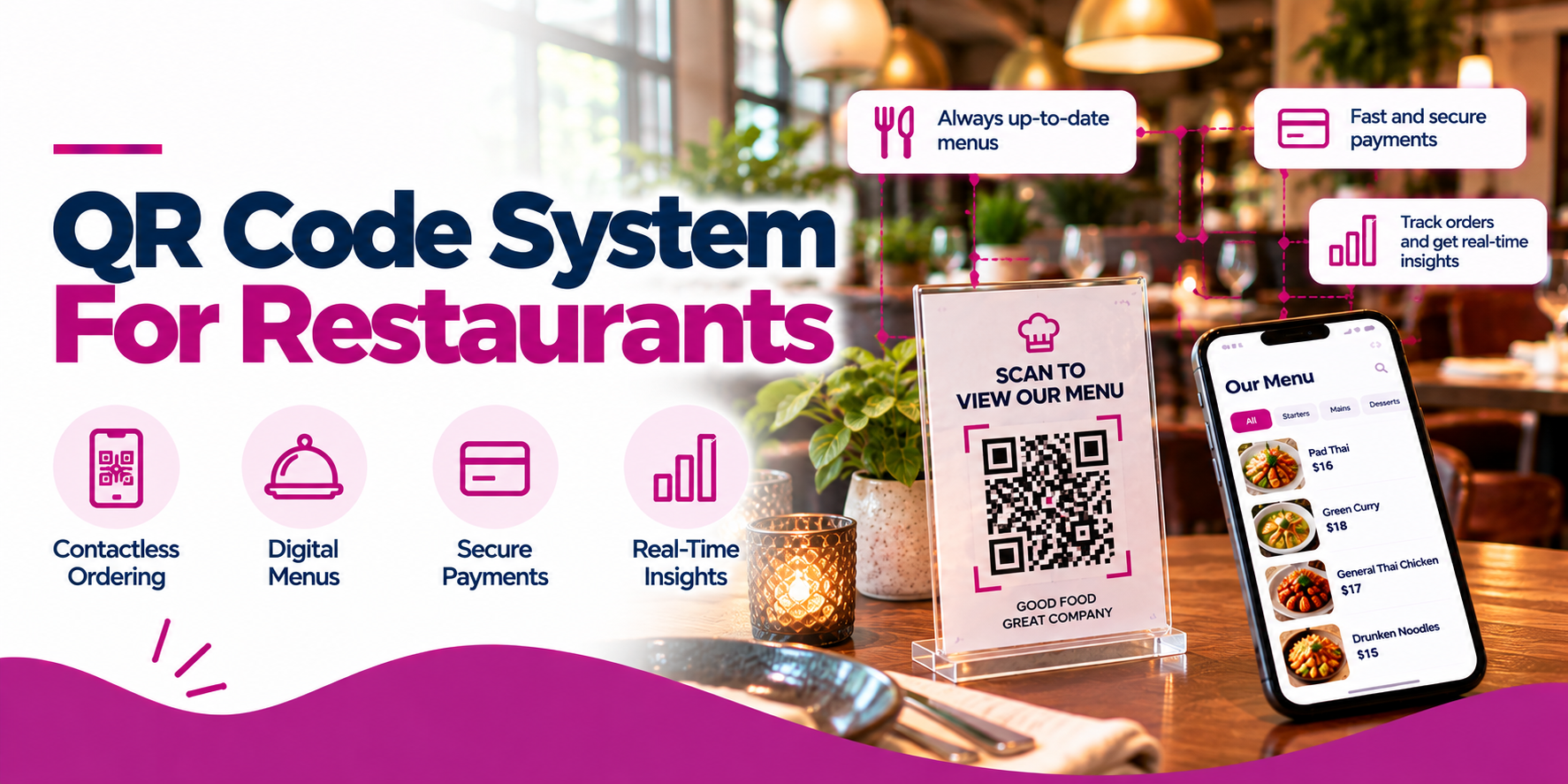
A QR code system for restaurants offers a practical way to connect the physical dining experience with digital ordering. By scanning a code with a smartphone, guests can open a digital menu and, depending on the system, place an order, pay, or access other restaurant services.
But not all restaurant QR code systems offer the same functionality. Some display a digital menu only, while others connect directly to a point-of-sale (POS) system and send orders into the restaurant’s workflow.
Solutions such as Snappy’s QR Code Menu Ordering, Toast Mobile Order & Pay, and Square QR code ordering provide different approaches to digitizing restaurant service.
This guide explains how restaurant QR code systems work, why they matter, which features to look for, and how to choose the right solution for your business.
QR codes make menus easier to access: Guests can scan a code to view a digital menu without downloading an app or handling a printed menu.
QR ordering can reduce service bottlenecks: Customers can submit orders through their phones rather than waiting for staff to return to the table.
POS integration is essential: Connected QR ordering can route orders into existing restaurant workflows and reduce duplicate order entry.
Digital menus are easier to update: Restaurants can change menu items, descriptions, prices, and specials without reprinting menus.
Not every QR system includes payments: Confirm whether a provider supports digital menus, order placement, bill payment, or a complete mobile order-and-pay experience.
Snappy is one option for dine-in QR ordering: Its QR Code Menu Ordering solution integrates with Snappy POS and is designed to improve order flow, reduce wait times and order errors, and give customers more control over customization.
QR codes should complement good service: Printed menus and staff assistance should remain available for guests who prefer them.
A restaurant QR code system uses scannable codes to connect guests to digital restaurant services. Customers point their smartphone cameras at a code and open a webpage or ordering interface without manually typing a web address.
Depending on the platform, restaurant QR codes can direct guests to:
For restaurants, the main distinction is whether a QR code simply displays information or supports a complete transaction.
A QR code menu lets customers browse the available food and drinks. A QR code ordering system adds the ability to select items and submit an order. A QR code order-and-pay system may also allow customers to pay directly from their phones.
These functions are not interchangeable. Before investing in a restaurant QR code solution, make sure the features match your intended service model.
The process is straightforward for guests, but the technology behind the experience determines how useful it is for restaurant operations.
Step 1: Generate a QR Code
The restaurant creates a QR code linked to a digital menu or ordering page. Depending on the platform, each table may have its own code so the restaurant can associate an order with the correct location.
Step 2: Place the Code Where Guests Can Scan It
Restaurants commonly display QR codes on table tents, tabletop signs, printed menus, receipts, counters, or other visible surfaces.
The code should be easy to scan, well lit, and clearly labelled so guests know what will happen when they open it.
Step 3: Guests Open the Digital Menu
Customers scan the code with their smartphone camera and access the linked experience. They can review menu descriptions, prices, available options, and other information provided by the restaurant.
A browser-based experience is often convenient because guests typically do not need to download a dedicated application.
Step 4: Customers Place Their Orders
If the platform supports QR ordering, customers can select items, choose available modifiers, and submit their orders from their phones.
For an integrated system, those orders can then flow into the restaurant’s POS and connected kitchen workflow. Basic QR menus may not include this functionality.
Step 5: The Restaurant Prepares and Serves the Order
Staff receive the order through the configured POS, printer, kitchen display system, or other supported workflow.
The restaurant can then prepare the food and deliver it to the table or direct guests to a designated pickup point, depending on the service model.
Step 6: Guests Pay if the System Supports It
Some systems allow guests to pay from their phones, while others handle payment separately through the server or cashier.
If mobile payments are important to your business, confirm the payment features, supported transaction types, fees, and integration requirements before choosing a provider.
The right provider depends on whether you need a digital menu, dine-in ordering, mobile payment, or a more integrated POS solution.
| Provider / Solution | Main Capability | Potential Advantage | Best Fit |
|---|---|---|---|
| Snappy QR Code Menu Ordering | Dine-in QR menu ordering integrated with Snappy POS. | Combines QR ordering with a broader restaurant POS environment. | Restaurants evaluating an integrated Snappy ordering and POS workflow. |
| Toast Mobile Order & Pay | QR-based mobile ordering and payment in supported configurations. | Connects guest ordering to the Toast ecosystem. | Restaurants considering Toast for POS-connected order and pay. |
| Square QR Code Ordering | QR codes that connect customers to a Square Online ordering page. | Links online ordering and supported POS workflows. | Restaurants exploring Square-based mobile ordering. |
| Stand-Alone QR Menu Platform | Digital menu access, with ordering and payment depending on the provider. | A focused option when digital menu publishing is the main requirement. | Restaurants that do not need a full POS-integrated ordering workflow. |
The right provider depends on whether you need a digital menu, dine-in ordering, mobile payment, or a more integrated POS solution.
Snappy QR Code Menu Ordering is designed for restaurants using Snappy POS that want to offer customers an option to order through a QR code at the table.
According to Snappy’s published POS product page, its dine-in QR menu ordering is integrated with Snappy POS. The company highlights benefits such as faster table turnover and order flow, reduced wait times and order errors, greater customer control over customization, and lower reliance on printed menus.
Snappy also positions QR ordering within a broader restaurant POS platform that supports multiple ordering channels.
Key strengths:
Best for: Restaurants looking for dine-in QR ordering as part of a connected POS environment, rather than a stand-alone digital menu.
What to confirm: Ask Snappy which ordering, payment, table-mapping, menu-management, and reporting functions are included in your proposed configuration. The availability of specific features depends on the setup and requirements of your restaurant.
Toast Mobile Order & Pay lets guests use a QR code to browse a menu, place orders, and pay from their mobile devices.
Toast’s published documentation describes workflows that connect mobile orders with its POS environment and send orders into restaurant preparation workflows. Its product materials also describe capabilities for continuing a tab and managing guest orders.
Key strengths:
Best for: Restaurants evaluating QR-based order-and-pay functionality within the Toast ecosystem.
What to confirm: Feature availability can vary by region, subscription, and configuration. Restaurants in Canada should specifically verify the functions available in their market before comparing Toast with other providers.
Square QR code ordering connects QR codes to a Square Online ordering page. Its published workflow describes codes associated with tables or other ordering locations, allowing customers to browse, order, and pay, with orders routed into the relevant POS and kitchen workflow.
Key strengths:
Best for: Restaurants already considering Square’s ordering and POS tools that want to explore QR-based ordering.
What to confirm: The linked product page is US-specific. Check Canadian availability, subscription requirements, payment processing arrangements, and the exact features supported for your business before making a decision.
Stand-alone QR menu tools are another option. These platforms generally focus on publishing a digital menu accessible through a QR code, with features that vary by provider.
Some offer only menu publishing, while others add ordering, payments, analytics, translations, or integrations with restaurant systems.
Key strengths:
Best for: Cafés, bars, small restaurants, or businesses that want a digital menu without replacing their existing POS.
What to confirm: Determine whether the solution supports live menu updates, item availability, ordering, payments, and POS integration—or whether it simply displays menu information.
Choosing the right type of QR technology is one of the most important decisions a restaurant owner can make.
| Capability | QR Code Menu | QR Code Ordering | QR Code Order and Pay |
|---|---|---|---|
| View menu items and prices | Yes | Yes | Yes |
| Browse menu descriptions | Usually | Usually | Usually |
| Select modifiers and customizations | Not necessarily | Usually, if supported | Usually, if supported |
| Submit an order digitally | No, unless ordering is added | Yes | Yes |
| Send orders to the POS | Not inherently | Possible with integration | Possible with integration |
| Pay directly from a phone | Not inherently | Depends on the system | Yes, when supported |
| Best use case | Digital menu access | Faster or more flexible ordering | Combined mobile ordering and payment |
A QR system can create friction when the technology is not aligned with the restaurant’s workflow.
Using a menu-only QR code when you need ordering. Confirm whether the solution supports order submission and integration with the POS before investing.
Forcing every guest to use a smartphone. Keep a clear alternative for customers who prefer staff-assisted service or cannot access the digital interface.
Failing to maintain the digital menu. Outdated prices, unavailable items, and incomplete modifiers undermine customer trust.
Ignoring security and tampering. Check printed signs regularly and use recognizable, secure destinations so guests are not misdirected to fraudulent pages.
Overcomplicating the customer experience. Too many steps, confusing navigation, or unnecessary registration can discourage guests from completing an order.
Failing to train employees. Staff should know how digital orders enter the kitchen, how exceptions are handled, and how customers can get help.
A QR system can create friction when the technology is not aligned with the restaurant’s workflow.
Using a menu-only QR code when you need ordering. Confirm whether the solution supports order submission and integration with the POS before investing.
Forcing every guest to use a smartphone. Keep a clear alternative for customers who prefer staff-assisted service or cannot access the digital interface.
Failing to maintain the digital menu. Outdated prices, unavailable items, and incomplete modifiers undermine customer trust.
Ignoring security and tampering. Check printed signs regularly and use recognizable, secure destinations so guests are not misdirected to fraudulent pages.
Overcomplicating the customer experience. Too many steps, confusing navigation, or unnecessary registration can discourage guests from completing an order.
Failing to train employees. Staff should know how digital orders enter the kitchen, how exceptions are handled, and how customers can get help.
A restaurant QR code system uses scannable codes to connect customers to digital services such as menus, ordering pages, payment flows, reservations, or loyalty programs. The functionality depends on the platform behind the code.
Customers scan a code with their phone, open a digital menu, select items and available customizations, and submit an order if ordering functionality is supported. Integrated systems can send the order to the POS and the restaurant’s configured kitchen workflow.
Yes, some restaurant QR ordering systems integrate with a POS so orders enter the restaurant’s normal workflow. The level of integration varies, so confirm that the solution supports your POS, menus, modifiers, table mapping, and kitchen setup.
Many systems open in a mobile web browser, so a separate app is not required. However, the guest experience varies by provider, and restaurants should test the flow on different devices.