
October 26th, 2026
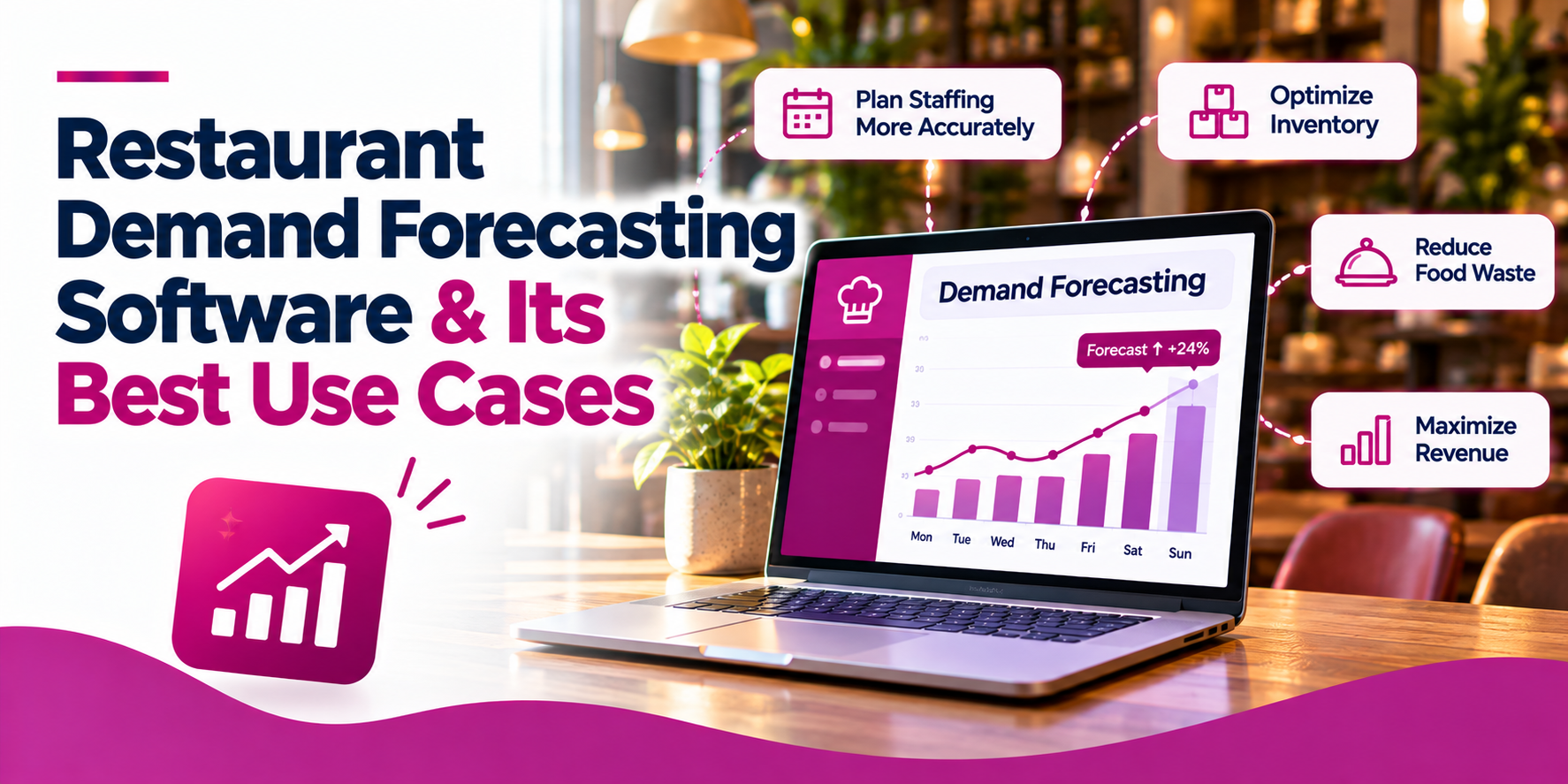
Restaurant demand forecasting software helps restaurant operators predict future sales, customer demand, staffing needs, and ingredient requirements. By using historical sales, seasonal patterns, and other relevant data, forecasting tools can help restaurants prepare for busy periods, control food costs, reduce waste, and make better operational decisions.
The best solution depends on what you need to forecast. Some platforms focus on sales and labour scheduling, while others connect demand projections to inventory management, purchasing, and food-cost control. For restaurants looking to connect these workflows, Snappy Intelligence offers AI-powered demand forecasting alongside Snappy Inventory’s stock tracking, recipe costing, and sales-driven usage features.
Restaurant demand forecasting software uses historical and operational data to estimate future demand.
Inventory planning: Better forecasts help restaurants order the right quantities, plan prep, and reduce overstocking.
Staff scheduling: Sales forecasts can help managers align staffing with expected customer traffic.
Food waste reduction: Forecasting can help prevent overproduction and identify potential inventory issues.
Snappy Intelligence uses factors such as weather, seasonality, and sales history to support demand projections, with predictive alerts and inventory tracking.
Choosing the right platform means checking forecast detail, POS connectivity, inventory capabilities, reporting, ease of use, and total cost.
Restaurant demand forecasting software analyzes business data to estimate how much a restaurant is likely to sell or how much demand it can expect over a future period. Depending on the system, forecasts may cover sales revenue, transactions, menu items, ingredients, labour requirements, or purchasing needs.
Forecasting can be performed at different levels, including:
Not every platform supports every forecasting level. Some specialize in sales and labour projections, while others focus on inventory, purchasing, or menu-level planning.
The strongest use cases depend on the type of restaurant, how demand changes throughout the week, and which operational decisions the software can support.
Best for: Restaurants with perishable ingredients, frequent supplier orders, or recurring inventory shortages.
Demand forecasting can help estimate the ingredients needed for future service periods. When combined with current stock levels, recipe quantities, and purchasing data, forecasts can support more appropriate order quantities.
For example, a restaurant expecting higher-than-usual weekend sales may need to increase its planned purchases of popular proteins, produce, or bakery items. A slower forecast may suggest delaying certain purchases or using available inventory first.
Look for software that connects sales and recipes to theoretical ingredient usage and makes purchasing and receiving easier to track.
Best for: Quick-service restaurants, cafés, bakeries, delis, buffets, and high-volume kitchens.
Forecasting can help kitchen teams decide how much food to prepare before a rush and when to make additional batches. This is particularly valuable for food that loses quality quickly or has a short holding window.
A bakery might use demand patterns to plan production quantities by weekday. A café might prepare different quantities of sandwiches and pastries for morning and afternoon periods.
Item-level forecasting is especially useful here. A general sales forecast may predict a busy day without identifying which products are likely to drive demand.
Best for: Full-service restaurants, multi-unit operators, and businesses with variable customer traffic.
Sales forecasting can support staffing decisions by estimating demand by daypart or hour. Managers can use those projections to schedule the right mix of front-of-house, kitchen, and support staff.
For this use case, prioritize platforms that connect sales forecasts to labour scheduling and let managers compare forecasted sales with actual results. Tools such as Restaurant365 and 7shifts offer sales forecasting capabilities tied to operational planning, although the available detail and integrations vary by product and plan.
Best for: Restaurants with high ingredient spoilage, frequent overproduction, or inconsistent demand.
Forecasting can help operators reduce the gap between how much food they prepare or purchase and how much they sell. Inventory alerts and consumption reports add another layer by helping managers identify low stock, unusual usage, or potential discrepancies.
A forecast alone cannot eliminate waste. Restaurants also need accurate inventory counts, sensible storage and rotation practices, reliable recipe data, and consistent recording of waste and stock adjustments.
Best for: Restaurants that run limited-time offers, change menus seasonally, or experience demand swings around holidays and local events.
Forecasting can help operators estimate how promotions or seasonal changes may affect sales and ingredient requirements. Managers can compare similar periods, account for known events, and adjust projections when historical data is no longer representative.
A useful system should allow managers to review and adjust forecasts rather than treating every automated projection as final.
Best for: Restaurant groups, franchises, and operators managing multiple locations.
Demand often differs between locations because of local customers, opening hours, menu mix, weather, and nearby events. A single company-wide estimate may not be suitable for every restaurant.
Location-level forecasting can help managers plan purchases and prep based on each store’s patterns. Connected inventory tools can also make stock transfers more visible and help operators compare performance across locations.
For multi-unit businesses, check whether the software supports separate location forecasts, consolidated reporting, and the inventory workflows your team already uses.
Best for: Owners and operators who need tighter control over margins and purchasing budgets.
Forecasts can help operators anticipate purchasing needs and compare expected sales with planned food and labour costs. When forecast data is paired with actual purchase prices, recipe costs, and sales results, managers can investigate whether cost changes are caused by supplier pricing, product mix, waste, or inventory variances.
Forecasting should be treated as one input into financial planning, rather than a guarantee of future revenue or profitability.
| Solution | Main Strength | Potential Limitation | Best Fit |
|---|---|---|---|
| Snappy Intelligence | AI demand projections alongside inventory tracking, recipe costing, sales-driven ingredient usage, and purchasing workflows. | Confirm which forecasting features, integrations, and automated workflows are available for your setup. | Restaurants connecting demand planning with inventory and food-cost control. |
| Restaurant365 | Sales and labour forecasting connected to scheduling and broader restaurant operations. | Available workflows depend on product selection, configuration, and setup. | Restaurant groups seeking connected labour and business planning. |
| 7shifts | Sales forecasting designed to support staff scheduling and labour management. | Inventory and purchasing requirements may call for additional tools. | Restaurants focused on staffing and labour planning. |
| Inventory Management Software | Stock tracking, purchasing, receiving, and recipe or food-cost controls. | Predictive forecasting capabilities vary by provider. | Restaurants prioritizing stock and ingredient management. |
| POS Reporting and Analytics | Convenient access to sales history, transaction trends, and menu performance. | May provide historical reporting without predictive demand features. | Restaurants starting with sales analysis and basic forecasting. |
Different platforms approach demand forecasting from different angles. The following options are worth evaluating based on your operational priorities; they are not a universal ranking, because the best fit depends on your existing systems and the level of forecasting you need.
Best for: Restaurants looking to connect AI-powered demand projections with inventory tracking and food-cost management.
Snappy Intelligence is an AI platform for restaurant operations. Its inventory management capabilities use factors such as weather, seasonality, and sales history to predict demand. It also describes weather-adjusted sales forecasting, predictive alerts for demand spikes, inventory tracking, and automated restocking capabilities.
Snappy Inventory complements this approach by connecting inventory workflows to sales and recipe data. Its published features include:
Together, these capabilities can help operators connect demand planning with purchasing, ingredient usage, and food-cost visibility. For example, a manager could use demand projections to prepare for a busy period, then use inventory and recipe data to review stock needs and understand the cost implications.
Important consideration: Forecasting and inventory features depend on the product configuration and applicable integrations. Confirm which specific forecasts, alerts, automated workflows, and POS connections are available for your restaurant before purchasing.
Best for: Restaurant groups that want sales forecasting connected to labour planning and broader financial and operational workflows.
Restaurant365 provides sales and labour forecasting tools. Its published documentation describes forecasts that can be viewed by week, day, and smaller time intervals, with forecasts feeding into areas such as scheduling, reporting, and suggested purchasing quantities.
This makes it worth evaluating if the main goal is to connect projected sales with staffing decisions and operational planning across locations.
Important consideration: Review the forecasting configuration, labour setup, purchasing workflow, and integrations required for your specific locations.
Best for: Restaurants prioritizing sales forecasting for workforce scheduling and labour management.
7shifts offers sales forecasting designed to help restaurants align schedules with expected sales. Its published documentation describes using historical sales data and forecasting models to estimate future sales, with POS integration supporting sales tracking and forecasting where the connection is supported.
This can be a strong candidate when the main challenge is scheduling the right number of employees for expected customer demand.
Important consideration: If ingredient purchasing and inventory forecasting are also priorities, check whether the platform covers those workflows natively or whether additional software is required.
Best for: Restaurants that primarily need better stock control, purchasing, recipe costing, and ingredient usage visibility.
Inventory-focused tools can help restaurants track stock levels, manage suppliers, record receiving, calculate recipe costs, and review consumption. Depending on the platform, some may offer predictive ordering or demand-based purchasing recommendations.
This category can be a good fit when food cost and stock management are the main concerns, but forecasting depth varies substantially between products.
Important consideration: Verify whether the software predicts future demand or mainly reports current and historical inventory. These are related but different capabilities.
Best for: Smaller restaurants that want to start with sales trends and historical reporting.
A POS reporting tool may reveal which products sell best, when busy periods occur, and how sales change across days or locations. This information can support manual forecasting even when the system does not offer dedicated predictive features.
Important consideration: Historical reports alone may not account for weather, upcoming events, stockouts, or changes in operating conditions. Restaurants that need automated forecasts may eventually require a more specialized platform.
The right feature set depends on whether your priority is staffing, inventory, purchasing, food waste, or broader business planning.
| Feature | Why It Matters |
|---|---|
| Historical Sales Analysis | Establishes a baseline using previous sales, transactions, and demand patterns. |
| Weather and Seasonality Inputs | Helps account for weather changes, seasonal trends, and recurring demand patterns. |
| Daily and Hourly Forecasts | Supports service planning, staffing, and food preparation at the right level of detail. |
| Menu-Item Forecasting | Helps estimate demand for individual dishes and products to guide prep and purchasing. |
| POS Integration | Connects forecasts to actual sales and reduces manual data entry where supported. |
| Inventory Tracking | Helps compare available stock with expected ingredient usage and identify potential shortages. |
| Recipe Costing | Connects ingredient quantities and purchase prices to recipe costs and food-cost percentages. |
| Purchasing and Receiving | Supports ordering, delivery recording, and inventory replenishment. |
| Alerts and Recommendations | Highlights potential demand spikes, low stock, or other issues that may need attention. |
| Forecast-versus-Actual Reporting | Helps managers evaluate forecast accuracy and improve future planning. |
| Multi-Location Reporting | Supports location-specific planning and performance comparisons across restaurant groups. |
| Manual Forecast Adjustments | Lets managers account for known events, promotions, closures, and unusual circumstances. |
Use these steps to narrow down your options.
Start with the decisions you want to improve. Are you trying to predict daily sales, prepare the right amount of food, order ingredients, schedule staff, or manage several locations?
Prioritize platforms that forecast at the level you actually need. A sales forecast may help with labour scheduling, but it may not provide enough detail to estimate the quantity of each ingredient required.
Forecasts are only as useful as the data behind them. Review whether your sales history is complete, your menu items are mapped correctly, your recipes reflect actual portions, and your inventory counts are maintained consistently.
Ask vendors how much historical data is needed, how they handle missing or unusual data, and whether managers can correct forecasts when they know a date is atypical.
Historical sales are a useful starting point, but they may not explain every change in demand. Depending on your restaurant, useful inputs may include:
Choose a system based on the inputs it actually supports, rather than assuming every platform uses all these variables.
Forecasts are more valuable when they influence real decisions. Check whether projected sales connect to staff scheduling, purchasing, inventory, recipe costing, and reporting.
If you already use a POS system, confirm the exact integration and what data is exchanged. A connection may support sales reporting without supporting every inventory or forecasting workflow.
Ask vendors how to compare forecasts with actual results and how to investigate errors. Track accuracy over time and look at whether better forecasts lead to operational improvements.
Useful metrics include:
Avoid evaluating the system on forecast accuracy alone. The real goal is to make better decisions and improve restaurant performance.
Managers need to understand the forecasts and act on them quickly. Look for clear dashboards, practical alerts, mobile-friendly workflows, and straightforward reporting.
Compare subscription fees alongside onboarding, training, integration, and ongoing administration costs. A tool with many advanced features may not be the best choice if your team cannot maintain the data or use its recommendations.
The best restaurant demand forecasting software is the one that helps your team turn predictions into better operational decisions.
If your priority is labour scheduling, evaluate forecasting tools that connect projected sales to staffing plans, such as 7shifts and Restaurant365. If you primarily need stock tracking and purchasing controls, compare inventory management platforms and confirm whether they offer genuine predictive forecasting or mainly historical reporting.
Before choosing a solution, verify the features available for your restaurant, the integrations you need, and whether the system can demonstrate measurable improvements in waste, stock availability, labour planning, and cost control.
Restaurant demand forecasting software estimates future sales, customer demand, staffing needs, or ingredient requirements using historical and operational data. Depending on the platform, it may support inventory planning, purchasing, prep, scheduling, and business reporting.
AI-powered forecasting uses data patterns to estimate future demand. Depending on the system, its inputs may include historical sales, weather, seasonality, and other operational variables. Forecasts can then help managers plan stock, preparation, staffing, and purchasing.
Sales forecasting estimates how much a restaurant may sell over a future period. Inventory forecasting uses expected demand, recipe quantities, current stock, and sometimes supplier lead times to estimate what ingredients or products will be needed. The two work best when they are connected.
Yes. Forecasted sales can help managers schedule staff according to expected demand. The benefit depends on the forecast’s level of detail, the quality of scheduling rules, and whether managers regularly compare scheduled labour with actual sales and staffing needs.