
September 18th, 2026
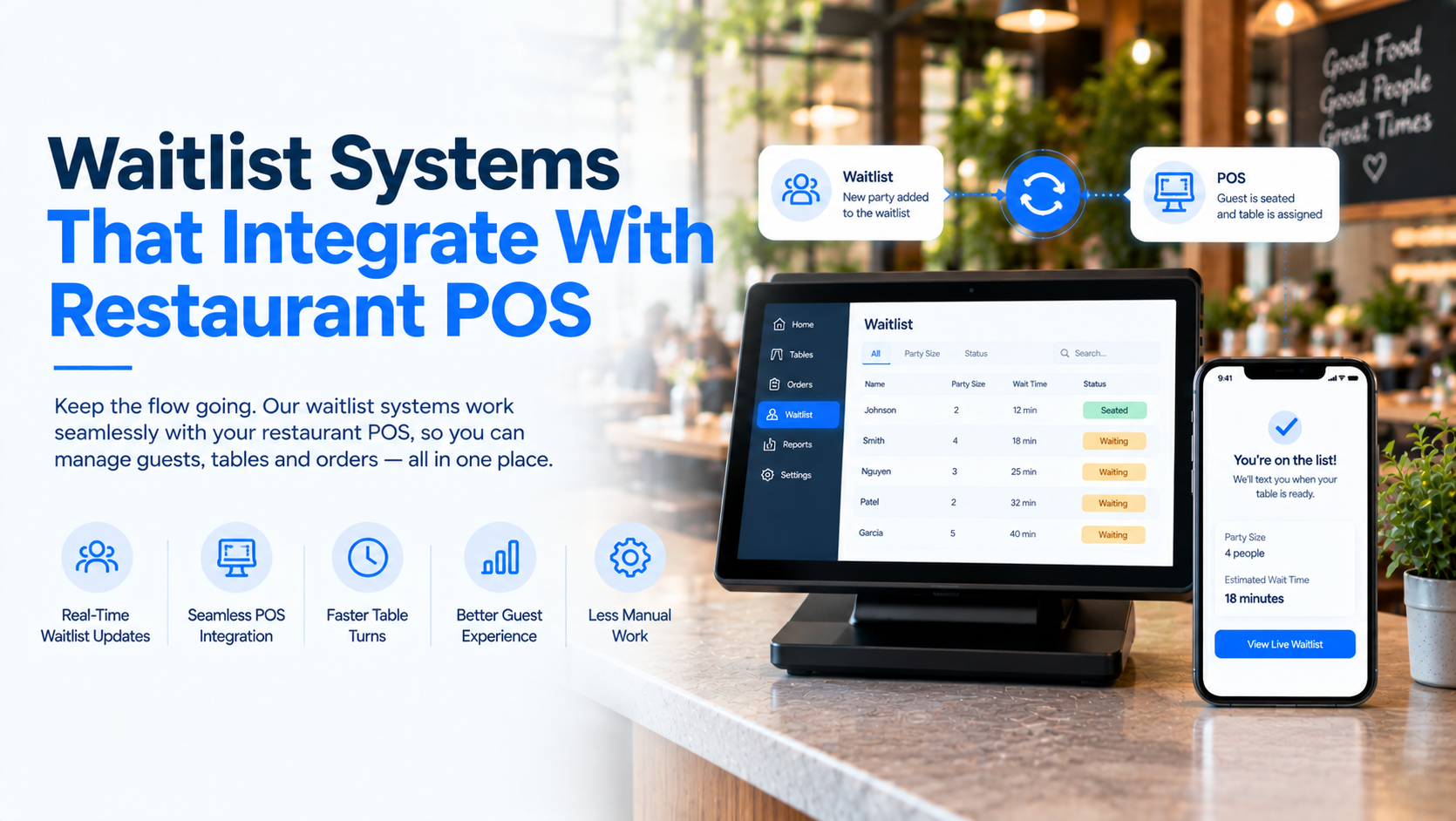
For busy restaurants, managing a waitlist separately from the POS can create unnecessary work for hosts and managers. A waitlist system that connects with restaurant POS and table-management tools can give staff a clearer view of table availability, guest status, seating activity, and wait times.
Modern restaurant waitlist systems can also let guests join remotely, receive SMS updates, and monitor their position in line. Some solutions connect directly with a restaurant’s POS, while others can operate alongside an existing POS as a separate system.
A restaurant waitlist system manages guests who are waiting for a table and helps staff coordinate seating.
When integrated with a POS or restaurant management platform, the waitlist can work alongside information such as table availability, dining areas, seating status, and guest information. This can reduce the need for hosts to manually track which tables are available or which guests are next in line.
Other systems can operate alongside an existing POS rather than requiring the restaurant to replace its current technology.
Better Table Management
A connected waitlist gives hosts more information when deciding which party should be seated. Party size, table availability, dining areas, and seating preferences can all be considered when managing the line.
Faster Guest Communication
Instead of asking guests to remain near the host stand, restaurants can send SMS notifications when a table is getting close to being ready.
Online Waitlist Access
Online waitlists allow guests to join remotely through a restaurant website or other digital channels.
More Efficient Front-of-House Operations
When waitlist and table information are connected to restaurant operations, hosts can spend less time manually checking table status and updating guests.
A typical workflow looks like this:
1. Guest joins the waitlist
The guest can join in person, online, or through another supported channel.
2. Staff records party information
The system captures information such as party size, guest details, and seating preferences.
3. The system tracks table availability
Available tables and seating information help staff determine when and where the party can be seated.
4. Guest receives updates
SMS or other notifications can keep the guest informed about their estimated wait or position in line.
5. Host seats the party
When an appropriate table becomes available, staff can assign and seat the party.
6. POS and restaurant operations stay connected
Where a direct POS integration is available, seating information can flow into the restaurant’s broader operational workflow.
| Feature | Snappy Waitlist | Toast Tables | OpenTable | TouchBistro | SevenRooms |
|---|---|---|---|---|---|
| Online Waitlist | ✓✓✓ | ✓✓✓ | ✓✓✓ | ✓✓ | ✓✓ |
| In-Person Waitlist | ✓✓✓ | ✓✓✓ | ✓✓✓ | ✓✓✓ | ✓✓ |
| Phone Waitlist | ✓✓✓ | ✓✓ | ✓✓ | ✓✓ | ✓✓ |
| SMS Notifications | ✓✓✓ | ✓✓✓ | ✓✓✓ | ✓✓ | ✓✓✓ |
| Real-Time Wait Status | ✓✓✓ | ✓✓✓ | ✓✓✓ | ✓✓ | ✓✓✓ |
| Table Management | ✓✓✓ | ✓✓✓ | ✓✓✓ | ✓✓✓ | ✓✓✓ |
| Seating Optimization | ✓✓✓ | ✓✓✓ | ✓✓✓ | ✓✓ | ✓✓✓ |
| Guest Profiles | ✓✓✓ | ✓✓✓ | ✓✓✓ | ✓✓ | ✓✓✓ |
| POS Integration | ✓✓✓ | ✓✓✓ | ✓✓✓ | ✓✓✓ | ✓✓✓ |
| Multi-Location Management | ✓✓✓ | ✓✓✓ | ✓✓✓ | ✓✓✓ | ✓✓✓ |
| Centralized Dashboard | ✓✓✓ | ✓✓✓ | ✓✓✓ | ✓✓ | ✓✓✓ |
Snappy Waitlist is designed to help restaurants manage waiting guests, seating, wait times, and guest communication from one system.
Snappy Waitlist can be used alongside an existing POS as a standalone solution, so restaurants can add waitlist functionality without replacing their current technology.
The system supports online and in-person waitlists, as well as phone-based waitlist requests through Snappy’s AI Voice Waitlist. Guests can receive automated SMS updates and notifications about their position and estimated wait.
Snappy also includes table and guest seating optimization, guest profiles and visit history, and centralized waitlist management. For restaurant groups, waitlist operations can be managed across multiple locations.
Key features:
Switching cost doesn’t scale linearly with location count. The first site absorbs most menu-build, integration setup, and training-material work, those are largely fixed. Each subsequent location adds hardware, training, and a fresh disruption window.
Toast Tables is Toast’s waitlist and reservations solution, built to work with Toast POS and Toast’s broader restaurant platform.
Hosts can add parties to the waitlist, notify guests, manage reservations, assign tables, and work from the restaurant floor plan. Toast also supports online waitlists that allow guests to join remotely.
Its POS integration can also allow a host to start an order on the POS when a party is seated, connecting the seating workflow with the restaurant’s order flow.
Key features:
OpenTable provides an online waitlist that allows guests to join before arriving, receive SMS notifications, and see their position in line. Restaurants can also control when their online waitlist is available and configure estimated wait times.
OpenTable also integrates with POS systems. Its Toast integration, for example, can synchronize table status and connect reservation information with POS transaction data.
Key features:
TouchBistro offers restaurant management tools that connect closely with its POS ecosystem, making it an option for restaurants looking to keep waitlist and other front-of-house operations within the same technology environment.
For restaurants already using TouchBistro, keeping waitlist functionality within the same broader platform can reduce the number of separate systems staff need to manage.
Key features to evaluate:
SevenRooms combines restaurant guest management with reservations, table management, and guest data. For restaurants that want waitlist activity to form part of a broader guest-management strategy, it can be considered alongside dedicated waitlist and POS-connected solutions.
The main consideration is how its guest-management and reservation capabilities fit with the restaurant’s existing POS and front-of-house technology.
| Area to Evaluate | What to Look For |
|---|---|
| POS Integration | Connect waitlist activity with your existing POS and restaurant operations. |
| Online Waitlist | Let guests join remotely through your website or other digital channels. |
| SMS Communication | Automatically notify guests when their table is approaching or ready. |
| Table Management | Match waiting parties with available tables based on party size and seating availability. |
| Wait-Time Estimates | Give guests useful estimates rather than requiring them to remain at the restaurant. |
| Guest Profiles | Store relevant guest information, preferences, and visit history. |
| Phone Management | Allow staff or an automated phone system to add and update waitlist guests. |
| Multi-Location Support | Manage waitlists across multiple restaurants from a centralized system. |
| Reporting | Track wait times, seating activity, walkouts, and other operational metrics. |
| Existing Technology | Confirm that the system works with your current POS and restaurant technology. |
A restaurant waitlist system that integrates with your POS can help connect the front-of-house waitlist with table availability and day-to-day restaurant operations.
When comparing solutions, look beyond simply adding names to a queue. Consider POS connectivity, table management, online waitlists, SMS communication, seating optimization, guest profiles, phone management, and multi-location support.
For restaurants looking for a flexible solution that can work with an existing POS, Snappy Waitlist provides a combination of online, in-person, and phone waitlist management with automated guest communication and centralized waitlist operations.
It is a waitlist system that connects with a restaurant’s POS or broader restaurant-management technology, allowing waitlist, table, seating, and operational information to work together.
Yes. Some systems are designed to work alongside an existing POS rather than replacing it. Snappy Waitlist, for example, can be used as a standalone solution alongside an existing POS.