
November 18th, 2026
Running out of a key ingredient during a busy dinner service can disrupt the kitchen, disappoint customers, and cost a restaurant sales. Ordering too much creates a different problem: excess stock, spoilage, and money tied up in ingredients that may never be used.
For restaurant operators, keeping track of inventory manually can make these problems difficult to prevent. Stock levels change throughout the day, supplier prices fluctuate, and employees may not notice an issue until it affects service.
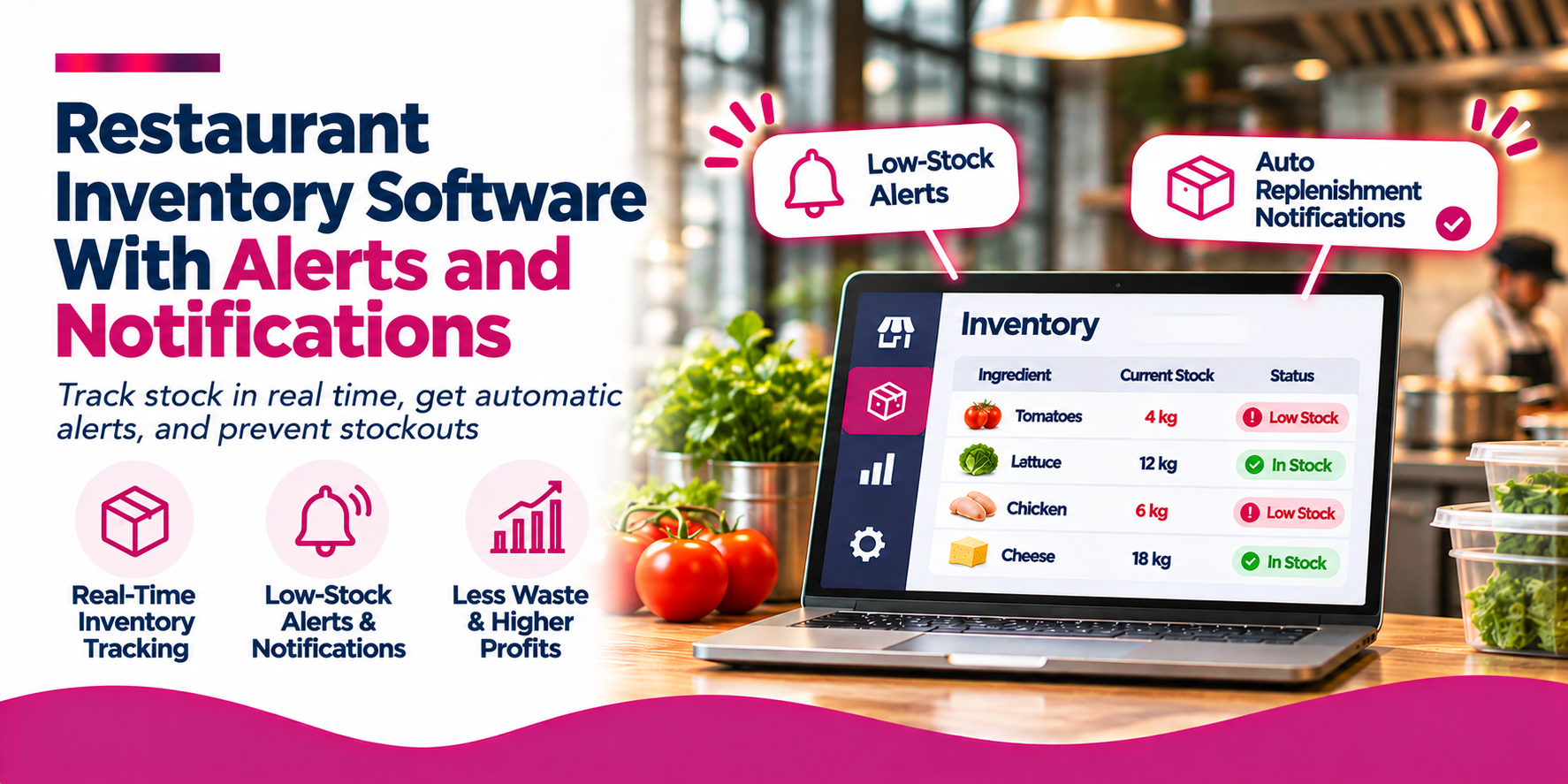
Restaurant inventory software with alerts and notifications helps operators monitor stock levels, identify potential problems, and take action before inventory issues become expensive. Instead of relying entirely on manual counts and spreadsheets, restaurants can use automated alerts to track low stock, monitor ingredient usage, identify cost changes, and manage replenishment.
Solutions such as Snappy Inventory Management System, MarketMan, Restaurant365, and Square offer different approaches to inventory tracking and alerts.
This guide explains how restaurant inventory notifications work, which alerts matter most, and how to choose software that helps control costs and maintain consistent operations.
Low-stock alerts help prevent shortages: Notifications tell managers when ingredients reach predefined reorder levels.
Expiry alerts help reduce waste: Systems can flag perishable products approaching their use-by dates when expiry tracking is supported.
Usage alerts help identify discrepancies: Unusual consumption can indicate waste, over-portioning, spoilage, or recording errors.
Cost notifications improve purchasing decisions: Supplier price and invoice alerts help operators identify unexpected cost increases.
POS integration makes inventory more accurate: Linking sales to recipes helps calculate theoretical ingredient consumption automatically.
Snappy is one option to consider: Snappy Inventory connects POS sales, recipe costing, purchasing, receiving, mobile counts, and inventory reporting. Snappy Intelligence adds predictive demand alerts, low-stock flags, and automated restocking capabilities.
The best system depends on your operation: Compare alert types, notification channels, integrations, reporting, and total cost before choosing a platform.
Restaurant inventory software helps businesses track ingredients, beverages, supplies, purchases, stock movements, and consumption.
When alerts and notifications are included, the software can monitor inventory conditions and notify employees when something requires attention.
For example, a restaurant might set a minimum stock level of 10 kilograms for chicken breast. When inventory falls below that threshold, the system generates an alert so the purchasing manager can arrange another order.
More advanced platforms can monitor additional conditions, including:
It is useful to distinguish between an alert and a notification. An alert is the system’s identification of a condition that needs attention. A notification is the message delivered to the responsible employee, such as an in-app message, email, or text.
The value comes from connecting the two: identifying a problem and getting the information to someone who can resolve it.
Inventory problems can affect food costs, customer satisfaction, cash flow, and staff productivity. Automated alerts help operators respond more quickly instead of discovering issues during a stocktake or busy service.
1. Prevent Stockouts During Service
Running out of a popular ingredient can force a restaurant to remove menu items temporarily, substitute ingredients, or turn customers away.
Low-stock alerts help employees monitor important products and reorder them before quantities become critical.
For example, if an ingredient reaches its minimum stock level, the system can notify the purchasing manager to review availability and prepare an order.
2. Reduce Food Waste and Spoilage
Restaurants often order perishable ingredients days before they are needed. Without a reliable tracking process, products may remain unused until they expire.
Expiry and use-by notifications can help kitchen teams prioritize ingredients that need to be used first.
The National Restaurant Association recommends inventory systems that flag both low stock and perishable inventory approaching use-by dates. It also highlights alerts for unexpected usage patterns as an important inventory control feature.
3. Improve Food-Cost Control
Ingredient prices can change between supplier orders. If recipe costs are based on outdated purchase prices, managers may underestimate the true cost of preparing menu items.
Inventory software can track purchasing costs and flag price variations. Managers can then review affected recipes, compare suppliers, and determine whether menu prices or purchasing decisions need adjustment.
4. Identify Unusual Inventory Usage
Theoretical inventory usage is calculated from recorded sales and recipe quantities. Actual usage comes from physical counts and recorded inventory movements.
Comparing the two can reveal unusual differences.
For example, if a restaurant sells fewer burgers than expected but uses significantly more ground beef, managers may need to investigate portion sizes, waste, recipe setup, or unrecorded consumption.
Variance alerts make these issues easier to identify before they become recurring problems.
5. Save Time on Manual Inventory Checks
Without notifications, managers may need to repeatedly review inventory reports to identify low stock or cost changes.
Automated alerts bring important issues to their attention without requiring constant monitoring.
The National Restaurant Association’s 2026 Digital Innovation research found that 48.5% of surveyed restaurant operators already use inventory management systems, while another 12.8% were considering adopting them. The research collected 212 responses from restaurant operators surveyed between June 18 and July 18, 2026.
This indicates that inventory software is becoming an established part of restaurant technology, while many operators are still evaluating adoption.
Not every inventory notification solves the same problem. Restaurants should choose a system that supports the alerts most relevant to their menus, purchasing cycles, and storage requirements.
| Alert Type | What Triggers It | Why It Matters |
|---|---|---|
| Low-Stock Alert | Inventory falls below a predefined minimum quantity. | Helps prevent shortages and last-minute purchases. |
| Reorder Notification | Stock reaches a configured reorder point. | Reminds purchasing staff to replenish products. |
| Expiry-Date Alert | A tracked perishable item approaches its use-by date. | Helps prioritize ingredients and reduce spoilage. |
| Unusual Usage Alert | Consumption differs significantly from expected usage. | Helps identify waste, over-portioning, spoilage, or recording errors. |
| Inventory Variance Alert | Physical counts differ from theoretical inventory. | Identifies discrepancies that may require investigation. |
| Supplier Price Alert | An ingredient's purchase price changes unexpectedly. | Helps managers review supplier costs and recipe profitability. |
| Demand Forecast Alert | Predicted sales or ingredient requirements increase. | Helps restaurants prepare for busy periods. |
| Receiving Discrepancy Alert | Delivered quantities or prices differ from the purchase order. | Helps catch supplier and invoice errors. |
The right solution depends on whether your priority is basic low-stock notifications, advanced inventory controls, recipe costing, supplier management, or predictive forecasting.
Snappy Inventory Management System helps restaurants connect what they purchase, sell, and count through an integrated inventory workflow.
Its core capabilities include inventory tracking, automatic usage calculations from Snappy POS sales, recipe costing, mobile counts, purchasing, and receiving.
Key features include:
Snappy’s broader Snappy Intelligence platform adds AI-supported forecasting and notification capabilities to inventory management.
Its features include:
This distinction is important: Snappy Inventory provides the core tracking, costing, purchasing, and counting workflows, while Snappy Intelligence adds the predictive AI layer. Snappy POS also lists live inventory tracking with low-stock alerts.
Best for: Restaurants looking to connect inventory tracking, recipe costing, sales-based usage, and supplier purchasing with broader restaurant operations.
MarketMan is a restaurant inventory and purchasing platform with a focus on food-cost control, supplier management, and inventory automation.
Its alert capabilities help managers monitor stock and respond when products reach predefined thresholds.
Key features include:
MarketMan describes sending alerts to managers when stock reaches or falls below configured par levels. Its purchasing workflow can then suggest products that need reordering and help staff prepare purchase orders.
Best for: Restaurants that want inventory alerts, supplier management, recipe costing, and purchasing workflows in one system.
Restaurant365 connects restaurant inventory, accounting, purchasing, and back-office operations.
Its inventory tools include notifications for stock changes and potential discrepancies, helping managers monitor inventory performance across locations.
Key features include:
Restaurant365 also documents notifications for invoice cost-variance thresholds and completed inventory counts. These can help managers identify records requiring review rather than relying exclusively on periodic reports.
Best for: Growing restaurant groups that need inventory alerts alongside financial management, purchasing, and back-office reporting.
Square offers inventory tracking and low-stock alerts through its item management tools.
Restaurants using Square can set stock thresholds for tracked items and receive email notifications when quantities fall below those levels.
Key features include:
Square’s Canadian support documentation states that low-stock alert emails are sent approximately 90 minutes after each location’s configured closing time.
Best for: Restaurants, cafés, and other businesses that need straightforward item-level stock tracking and low-stock notifications.
| Software | Main Alert Capabilities | Additional Inventory Features | Best Fit |
|---|---|---|---|
| Snappy Inventory Management System | Low-stock flags and predictive demand alerts through related Snappy POS and Intelligence capabilities. | POS-driven usage, recipe costing, mobile counts, receiving, supplier price comparisons, and multi-location transfers. | Restaurants wanting connected inventory management and restaurant operations. |
| MarketMan | Low-stock alerts, price and usage notifications, and text or email alerts. | Par levels, suggested purchasing, recipe costing, and variance reporting. | Restaurants prioritizing food-cost control and supplier purchasing. |
| Restaurant365 | Inventory change, low-stock, and discrepancy notifications. | Digital counts, purchasing, invoice management, financial reporting, and multi-location operations. | Growing restaurant groups and multi-location businesses. |
| Square Inventory Alerts | Configurable low-stock email alerts. | Item-level inventory tracking and location-based stock notifications. | Restaurants needing straightforward stock alerts for tracked items. |
The best inventory software is not necessarily the one that sends the most notifications. It is the one that identifies important problems and gets the right information to the right employee.
Consider these factors before choosing a provider.
1. Customizable Alert Thresholds
Look for the ability to set minimum stock levels for individual ingredients. A high-volume restaurant may need different reorder thresholds for chicken, dairy, produce, and packaging.
2. Multiple Notification Channels
Check whether alerts are delivered through email, SMS, push notifications, or an in-app dashboard. Choose channels that staff actually monitor.
3. POS Integration
Inventory alerts become more reliable when the system can use sales data to calculate ingredient consumption automatically.
Confirm that the software can map menu items, modifiers, and recipes to the correct inventory products.
4. Expiry and Perishable Tracking
If your restaurant handles large amounts of fresh ingredients, look for batch or expiry-date tracking and notifications for products approaching their use-by dates.
5. Supplier and Purchasing Integration
A useful alert should make the next step easier. Check whether employees can create purchase orders, compare supplier prices, and record incoming deliveries from the same platform.
6. Multi-Location Support
For restaurant groups, review whether managers can configure alerts by location, view stock across stores, and manage transfers between establishments.
7. Reporting and Audit History
Notifications should not disappear without a record. Look for alert history, inventory movement records, variance reports, and audit trails that help managers identify recurring issues.
After implementation, track whether notifications are helping reduce operational problems.
Useful metrics include:
Compare performance before and after implementation. A reduction in stockouts or waste may indicate improvement, but also consider changes in sales volume, supplier availability, menus, and staff procedures.
Restaurant inventory software with alerts and notifications helps operators move from reactive stock management to more proactive purchasing and inventory control.
Low-stock notifications can prevent shortages, expiry alerts can help reduce spoilage, and cost or variance alerts can identify problems that might otherwise go unnoticed.
Snappy Inventory Management System is one option worth evaluating for restaurants that want to connect POS-driven ingredient usage, purchasing, recipe costing, mobile counts, and supplier price tracking. When combined with Snappy Intelligence, restaurants can also access predictive demand alerts, low-stock flags, and automated replenishment capabilities.
MarketMan is worth considering for detailed purchasing and cost-control workflows, Restaurant365 for connected back-office operations, and Square for straightforward item-level stock alerts.
Ultimately, choose software that supports your actual inventory process, integrates with your existing technology, and delivers actionable notifications without overwhelming employees. Start with the alerts that matter most, establish clear responsibilities, and measure whether the system improves stock availability and cost control.
What is restaurant inventory software with alerts and notifications?
Most restaurants should start with low-stock and reorder alerts. Businesses handling many perishable ingredients should also consider expiry notifications, while restaurants with detailed POS and recipe integrations can benefit from usage and variance alerts.
Yes. Many platforms allow restaurants to set minimum stock thresholds and automatically generate alerts when quantities fall below those levels. Delivery methods vary and may include email, text, push, or in-app notifications.
They can help by flagging excess stock, approaching expiry dates, unexpected consumption, and purchasing requirements. However, employees still need to review alerts and adjust preparation, ordering, and storage practices.
Many restaurant inventory systems integrate with POS software to track sales and calculate theoretical ingredient usage. Integration compatibility and the level of detail supported vary by provider.